Assignment methods
Use seniority, hours worked, rotating lists, or first eligible applicant as the basis for assignment.
Scheduling & assignments
From the first request to the final roster, keep off-duty details and overtime organized around the policies your team already uses.
See scheduling in a demoThe detail workflow
A schedule is useful only when everyone can see the current assignment and the information behind it.
Record the client, location, dates, positions, contacts, and instructions. Approved clients can submit requests through their portal.
Make eligible opportunities available according to the agency’s release schedule and assignment policy.
Assign positions, communicate updates, and manage give-ups or replacements as plans change.
Keep the roster and worked time available for review, reporting, and the next billing step.
Designed around agency policy
Different departments need different rules. Off Duty Blue supports common methods and lets your agency decide how to apply them.
Use seniority, hours worked, rotating lists, or first eligible applicant as the basis for assignment.
Control who can see or take a position, set hour limits, and establish release schedules under your policy.
Manage give-ups and replacements while keeping officers informed through their chosen notification channel.
For coordinators and leadership
When someone asks why a position was filled or what changed, the answer should not depend on reconstructing a text thread.
Administrator workspace
Review an event’s schedule, staffing status, location, payment status, and point of contact without losing the context of the detail list.

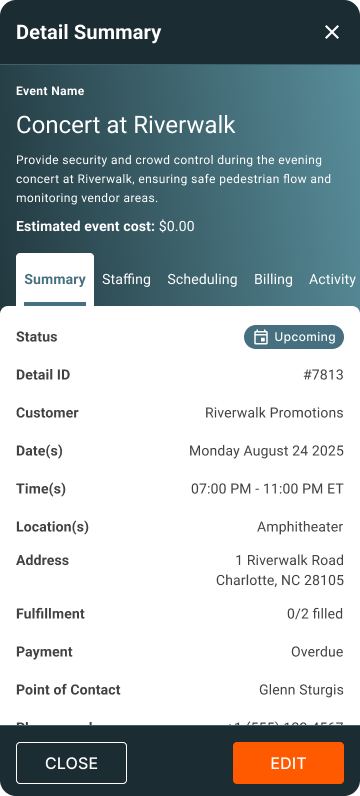
V4 design preview. Figures, clients, and event information shown are sample data.
Explore all administrator viewsRelated reading
See how Off Duty Blue can fit your agency’s policies and workflow.